| Application | GeoStudio |
| Version | GeoStudio 2012 through Current |
| Date created | 2026-04-01 |
| Date modified | 2026-10-26 |
| Original author | Jared Mathes |
| Keywords | GeoStudio, User Interface |
Symptom
When I open GeoStudio, the menu bar is not showing up. 
Resolution
If the menu bar is missing, it could be because the menu was moved by mistake and it's now floating. If you click anywhere in the GeoStudio app, the menu bar should show up. Click on it > drag and drop it back to the top left corner. 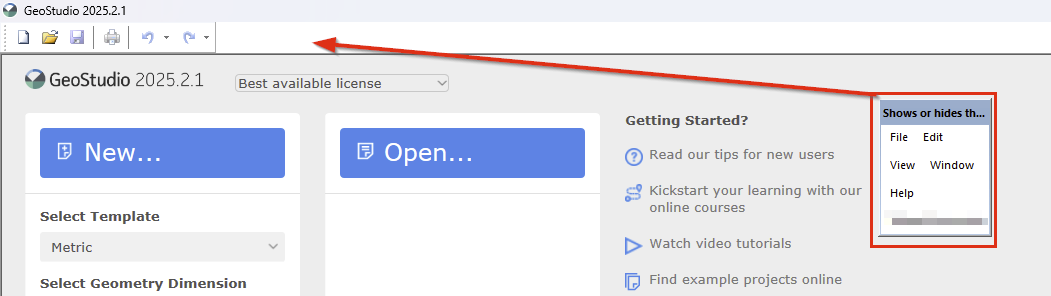
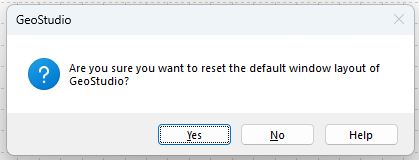
If the menu is missing, and it does not show up when you click anywhere in the app, press "alt + w + e". A pop-up screen will show up asking if you want to reset the default window layout > click yes. The menu bar will be restored to its original position.