When the new version of the submittal is received, the recipient can verify whether or not the issues that were marked as fixed have really been fixed (are resolved) and then send a final response.
- Open the new version of the submittal and acknowledge it.
- On the My response tab, expand the row for the new version of the PDF and click Review document.

The PDF opens in the PDF Markup Service, where you can review the PDF to see whether or not the issues in the PDF that have been marked as fixed have really been fixed.
If a fixed issue has been fixed, you can mark the issue as resolved.
- To open an issue:
- Click the issue in the PDF then click the Update Issue button.

or
- Click the Notes button
 (it is selected by default when the PDF opens) to open the list of issues that have been added to this PDF, then click the name (subject) or number of the issue that has been marked as fixed.
The Update Issue dialog opens, showing the details for that issue.
- Click the issue in the PDF then click the Update Issue button.
- At the bottom of the dialog, click Verify as resolved.
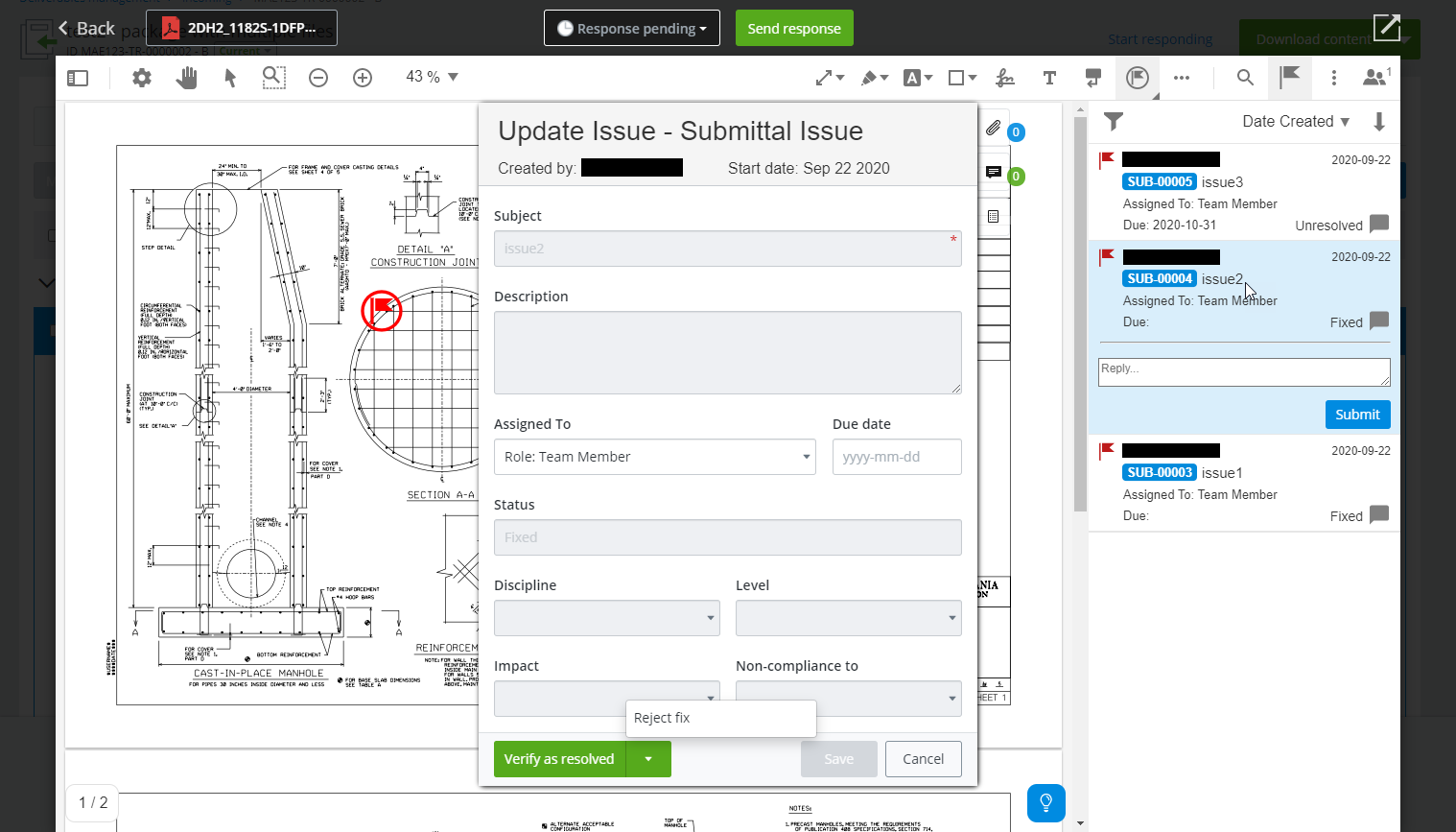
- When you are finished verifying issues or rejecting fixes in the PDF you can click the Back button in the upper left corner to go back to the submittal and send your responses from there, or you can send your response for the PDF directly from the PDF Markup Service window by selecting the appropriate response from the menu and clicking Send response.